
Starter
Free
Free for one nursery, for good.
The day, the families and the fees for one nursery.
- The register
- The diary
- Newsfeed and messages
- Fees and invoices
- Medication with a witness
- Accident records
Nursery software for nurseries in Egypt
The register, the diary, sleep checks, medication and fees, on the phones and tablets you already have. Parents see their child's day as it happens.
30 days, every feature, no card. Starter is free for one nursery, for good.

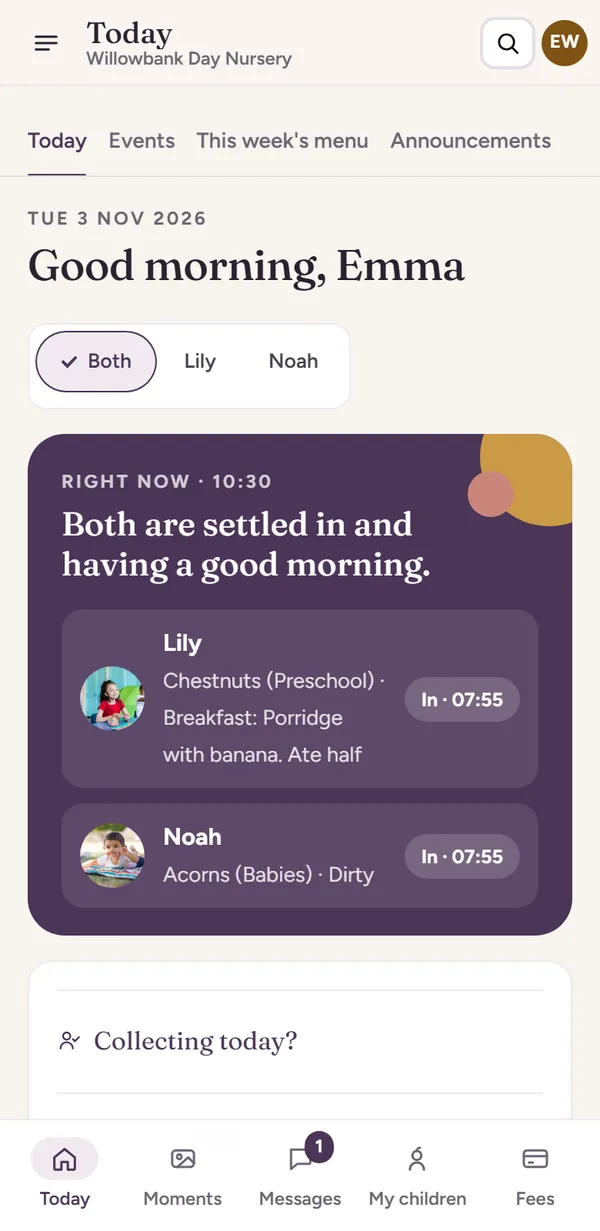
Designed with a team of British early years experts.

Checked at 1:05pm, 1:15pm, 1:25pm.
Safety, shown
Four moments in the day where a record has to be right. This is what your team sees at each one.

Every check asks what you actually saw: position, breathing, skin colour. When a check is overdue, the room's tablet says so and the manager's screen says so too.
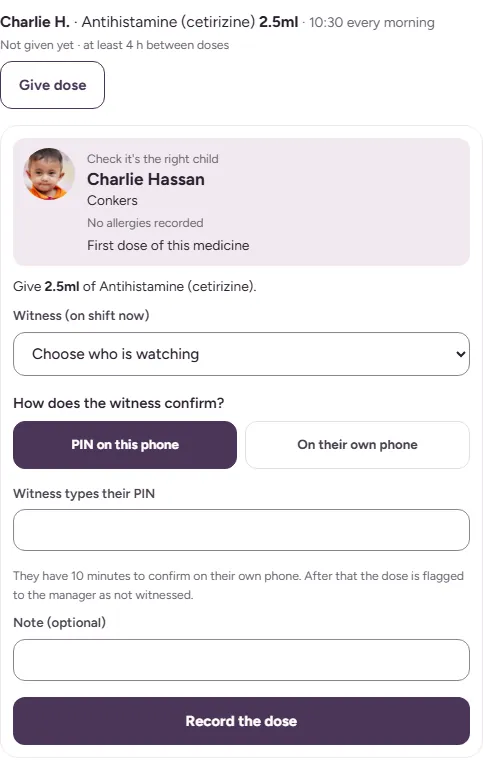
The parent consents first. A manager or deputy approves. Then a witness on shift confirms the dose. If they haven't confirmed within 10 minutes, the manager is told.

File a head bump and Kinsley shows who to phone, then asks who you reached and at what time. The parent gets the report straight away and is asked to say they've read it.

Parents tell you who is collecting. The register shows it against the child and asks for the collection password. A wrong password is logged and the manager is told.
Sleep checks and collection passwords are in Essentials and above. Medication and accident records are in every package.
See every safety recordKinsley tells each person what they need in a sentence. These are the sentences.

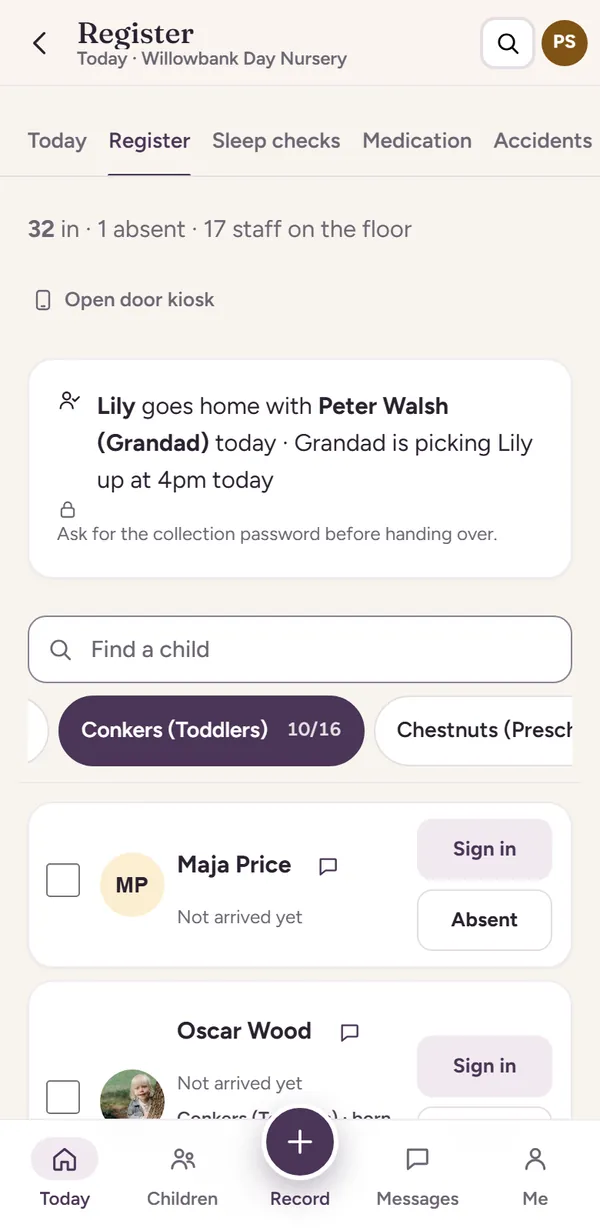
The register is the first thing your team opens. One tap signs a child in. Allergies and who is collecting sit on the same row.
See what practitioners seeParents see meals, moods, naps and nappies as they happen. They only ever see their own children, and families never pay.
See what parents see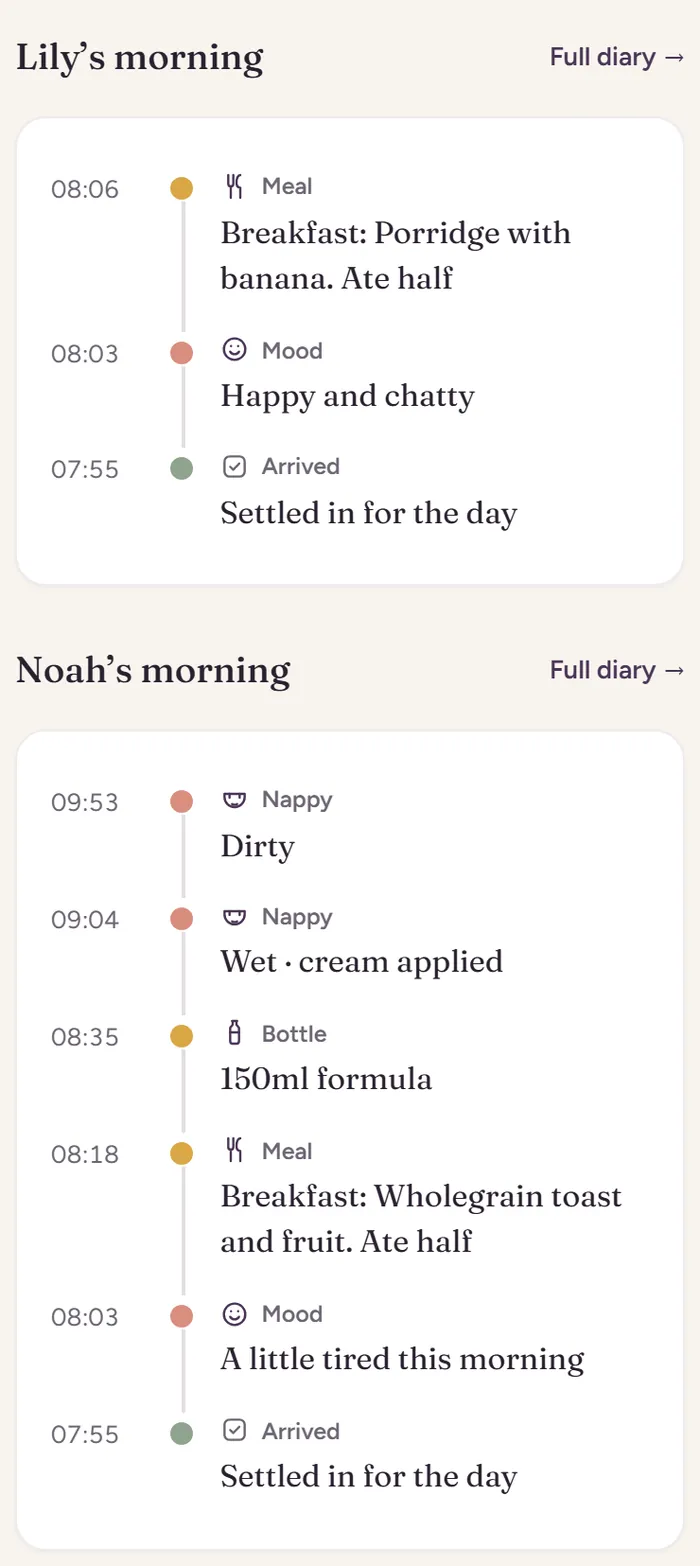


The manager's Today screen opens with a sentence, not a chart: what needs you, in order, and what can wait until after lunch.
See what managers see

Home time.Parents tell you who is collecting. By the time they reach the door, they have already seen the day.
Sign up after lunch and you can have your own rooms, children and team in Kinsley before home time. Nobody needs to ring you first.
Your name, your email, your nursery's name. No card.

We'll import your data for you, free during your trial. You see every row before anything is saved.

Each person chooses their own password. Nobody shares one.

What doesn't move across. Photos and learning journals don't come over from a spreadsheet. Download them before you leave your old system. How moving to Kinsley works
Sunday to Thursday. Egyptian pounds. Cairo time. Egypt's public holidays.
Kinsley is set up for Egyptian nurseries from the first screen.
Kinsley is in English for now. Arabic is planned, but it isn't available yet.
Islamic holiday dates move each year. Your nursery confirms them, and Kinsley follows.
Egypt's national vaccination schedule is built in.
A group can run nurseries in Egypt and the UK side by side, each on its own calendar, clock and currency.
A note from the founder
Kinsley wasn't started by a software company. It was started by an early years professional who spent 12 years running a group of five nurseries across the UK and the Middle East and North Africa.
That meant sleep checks, medication forms, accident reports, and parents at the door wanting to know how the day went. The software we used was built to look good in a sales demo, not to work at quarter to eight on a Monday with two practitioners off sick.
So we built the app we wished we'd had: quick to record, careful with the details, and clear for parents. Every screen has been shaped by someone who has stood in the room, and checked by a team of British early years experts.
The founder of KinsleyA former nursery-group owner-operator and early years professional
Starter is free for one nursery. For the other packages, ask for a price and we'll email it within one working day.
Free for one nursery, for good.
The day, the families and the fees for one nursery.
We'll email it within one working day.
For a nursery that wants the careful parts built in.
We'll email it within one working day.
For nurseries that plan, report and rota in one place.
We'll email it within one working day.
For owners with more than one nursery.
Book a demo
Pick a day and a time. Thirty minutes on Google Meet, in a demo nursery, with your questions first.
Book a demo
30 days, with every feature switched on. You don't need a card to start, and there's no set-up fee.
Starter is free for one nursery. For Essentials, Pro and Group, ask for a price and we'll email it within one working day.
Kinsley makes the invoices in Egyptian pounds. Your office records each payment when it arrives. Parents can't pay online in the app yet.
Yes. We'll import your data for you, free during your trial. You check every row before anything is added.
You invite them from Kinsley. They sign in with the email you invited and only ever see their own children.
Kinsley works on the phones, tablets and computers you already have, with nothing to install. Practitioners see their own room first, and signing a child in is one tap.
On packages with offline mode, the register, diary and sleep checks keep working and catch up when you're back online.
Information is encrypted on the move. Each nursery's data is walled off from every other. Photos use private links, everyone sets a screen-lock PIN, and an activity log shows who opened a child's record.
Choose a package before the 30 days are up: Starter is free for one nursery. If you don't choose, your account becomes read-only: you can still see and export everything, but nothing new can be added until you choose.
Email: hello@getkinsley.com
WhatsApp: [To confirm: Egypt WhatsApp number]
We reply Sunday to Thursday, within one working day.
Thirty days, every feature, no card.